How to Turn a Selfie Into a Fun Cartoon Portrait
In this guide
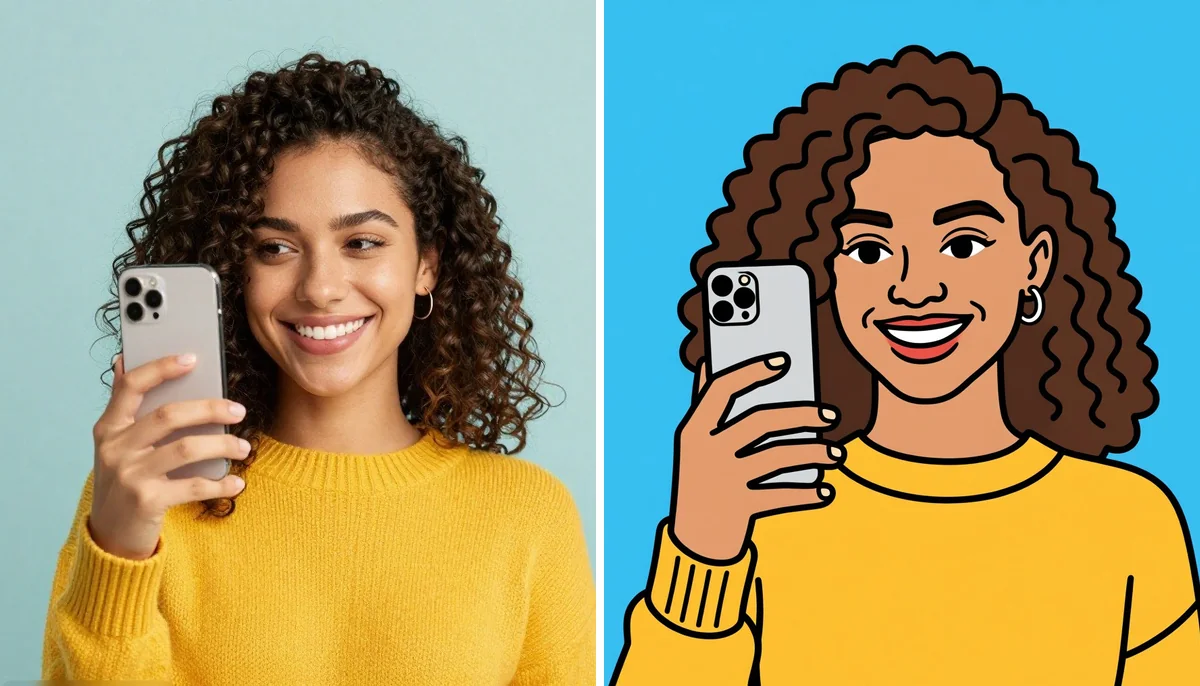
A regular selfie can become much more than a simple photo. With the right creative approach, you can transform it into a colorful, expressive and memorable cartoon portrait that feels playful and personal. Cartoon-style images are popular for social media profiles, messaging apps, digital gifts, avatars and creative posts because they give an ordinary photograph a completely different personality.
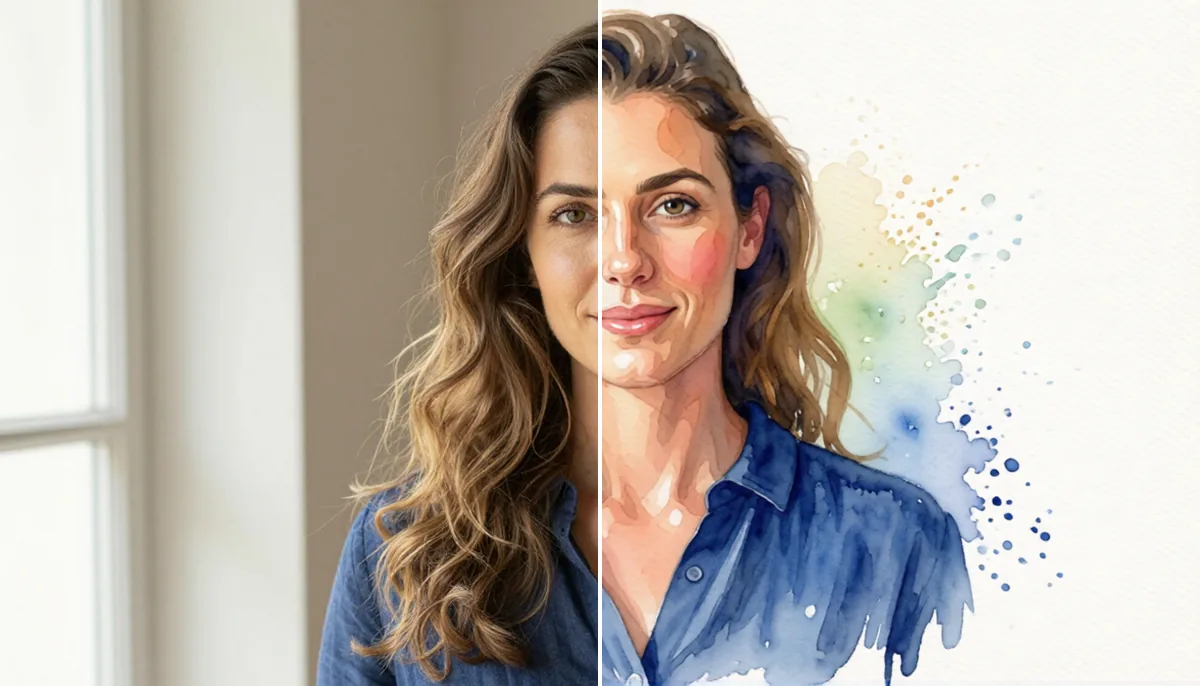
The best part is that you do not need professional drawing skills to get started. Modern photo-editing and AI tools can help turn a selfie into an illustrated version while keeping recognizable details such as your hairstyle, facial shape, expression and overall appearance.
Whether you want a funny avatar, a cute profile picture or an artistic version of your favorite selfie, this guide explains how to create one step by step.
What Makes a Cartoon Portrait Fun?
A good cartoon portrait is not simply a photograph with a filter placed over it. The most interesting results combine recognizable facial characteristics with artistic exaggeration, colors, expressions and creative styling.
For example, your hairstyle might become slightly more dramatic, your expression can be emphasized and your clothing or background can be redesigned to match a particular theme. The goal is to make the image feel illustrated while still retaining the personality of the original selfie.
Different styles can create completely different moods. A soft illustrated look can feel warm and friendly, while bold outlines and bright colors can create a humorous social-media avatar.
Choose the Right Selfie
The quality of the original photo plays an important role in the final result. Start with a clear image where your face is easy to see.
Use a Clear, Well-Lit Photo
Choose a selfie with good lighting and minimal blur. Natural daylight often works well because it reveals facial details without creating harsh shadows.
Avoid extremely dark photographs, heavy filters or images where the face is partially hidden. The more clearly your features appear, the easier it is for an editing tool to create a recognizable illustration.
Keep Your Face Visible
A straightforward front-facing or slightly angled selfie is usually easier to transform. Make sure your eyes, nose, mouth and overall face shape are visible.
You can experiment with different expressions later. A smile, surprised expression, serious look or playful pose can each produce a different creative result.
Consider the Background
The background does not always need to be perfect because it can be replaced or redesigned. However, a simple background can make the transformation easier and keep attention focused on the subject.
Decide What Cartoon Style You Want
Before editing your photo, think about the visual style you want. Having a clear direction can make the result more consistent.
Cute and Colorful Style
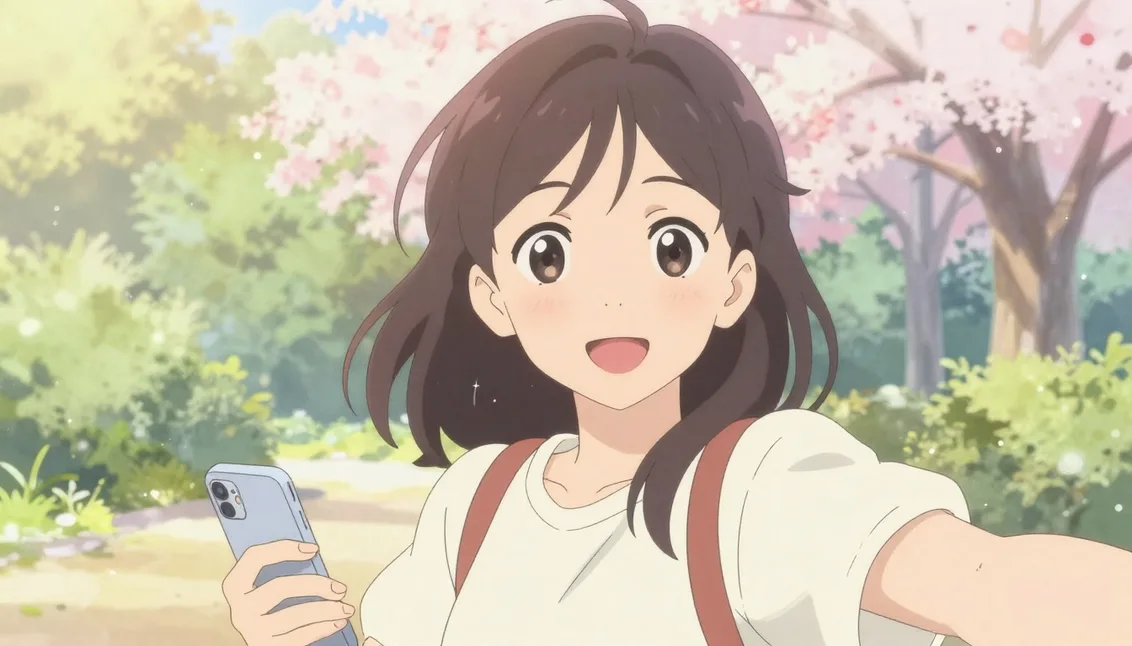
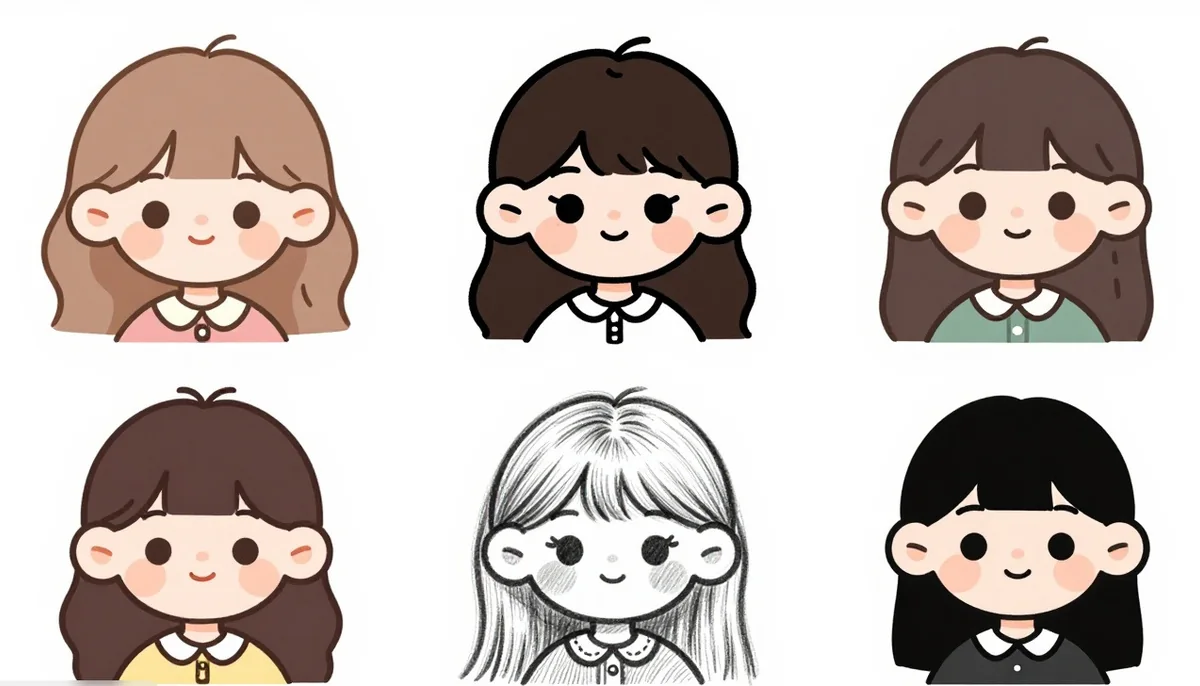
For a friendly social-media image, choose rounded shapes, cheerful colors, simple details and a soft illustrated appearance. This style works particularly well for profile pictures and messaging stickers.
Bold Comic Style
If you want something energetic, try strong outlines, expressive facial features, dramatic poses and vibrant colors. Comic-inspired artwork can make an ordinary selfie feel much more dynamic.
Hand-Drawn Illustration
A hand-drawn appearance can give your image a more artistic personality. Pencil textures, ink outlines, subtle imperfections and paper-like details can make the result look like an illustration created by an artist. If you prefer a soft, painted animation look instead, a Ghibli style conversion is a gentle alternative.
Minimal Avatar Style
For a clean profile image, simplify the design. Focus on your face, hairstyle and one or two recognizable details. A simple background and limited visual elements can create a professional-looking avatar.
How to Turn Your Selfie Into a Cartoon
Once you have selected your image and style, you can begin the transformation.
Step 1: Upload Your Selfie
Choose a high-quality selfie from your phone or computer. If the tool allows image cropping, position your face prominently within the frame.
For profile images, a square format can work well. For social posts, you may prefer a vertical format that provides more space for creative backgrounds and styling.
Step 2: Describe the Look You Want
If you are using an AI-based editing tool, describe the appearance you want as clearly as possible.
Instead of simply asking for "a cartoon," mention specific characteristics such as:
- Clean illustrated outlines
- Bright or muted colors
- Friendly facial expression
- Simplified facial details
- Playful background
- Hand-drawn texture
- Modern digital illustration
- Recognizable hairstyle and features
A detailed description gives you more control over the final visual direction.
Step 3: Preserve Your Identity
One of the most important parts of creating an appealing cartoon portrait is maintaining recognizable characteristics.
If the image changes your hairstyle, face shape, skin tone or other important details too dramatically, it may no longer feel like you. Ask the editing tool to preserve the important characteristics of the original image while applying the chosen artistic style.
This balance between recognition and creativity is what makes the transformation more personal.
Step 4: Experiment With Expressions
Do not limit yourself to the original expression. You can create different versions with a smile, raised eyebrows, a surprised look, a confident expression or a playful pose.
Small changes can completely alter the personality of the illustration.
Add Creative Backgrounds and Details
A plain background can make your subject stand out, but a themed background can make the image much more interesting.
Think about what represents your personality or the purpose of the image. You could use a colorful city scene, a cozy room, a fantasy landscape, a travel destination or an abstract pattern.
You can also add small visual elements such as stars, speech bubbles, hearts, books, musical instruments, cameras, sports equipment or other objects connected to your interests.
However, avoid adding too many elements. A crowded background can distract from the main character.
Try AI Tools for Faster Results
AI-powered image tools have made this type of creative editing much easier. Instead of manually drawing every feature, users can upload an image and describe the desired appearance.
An AI caricature maker can take this idea further by emphasizing distinctive facial characteristics and creating a more expressive illustrated version of the subject.
Tools such as Magical Studio AI can also be useful when experimenting with creative photo transformations and different visual concepts.
Make Your Cartoon Look More Natural
Even when using automated tools, a little creative adjustment can make the result feel much better.
Avoid Excessive Exaggeration
Cartoon artwork can be expressive without completely changing the person's appearance. If facial proportions become too extreme, the image may lose its connection to the original selfie.
Keep Important Features Consistent
Pay attention to recognizable details such as hairstyle, facial structure, glasses, facial hair or distinctive clothing. These elements can help viewers immediately recognize the person.
Choose Colors Carefully
Color has a major impact on the mood of an illustration. Warm colors can create an energetic appearance, while softer tones can make the image feel calm and artistic.
Try to choose colors that complement the subject instead of competing with it.
Where Can You Use Your Cartoon Image?
Once your image is ready, there are many ways to use it.
Social Media Profile
A personalized illustration can make your profile instantly more distinctive. You can use it on platforms where you want a creative alternative to a traditional photograph.
Messaging Apps
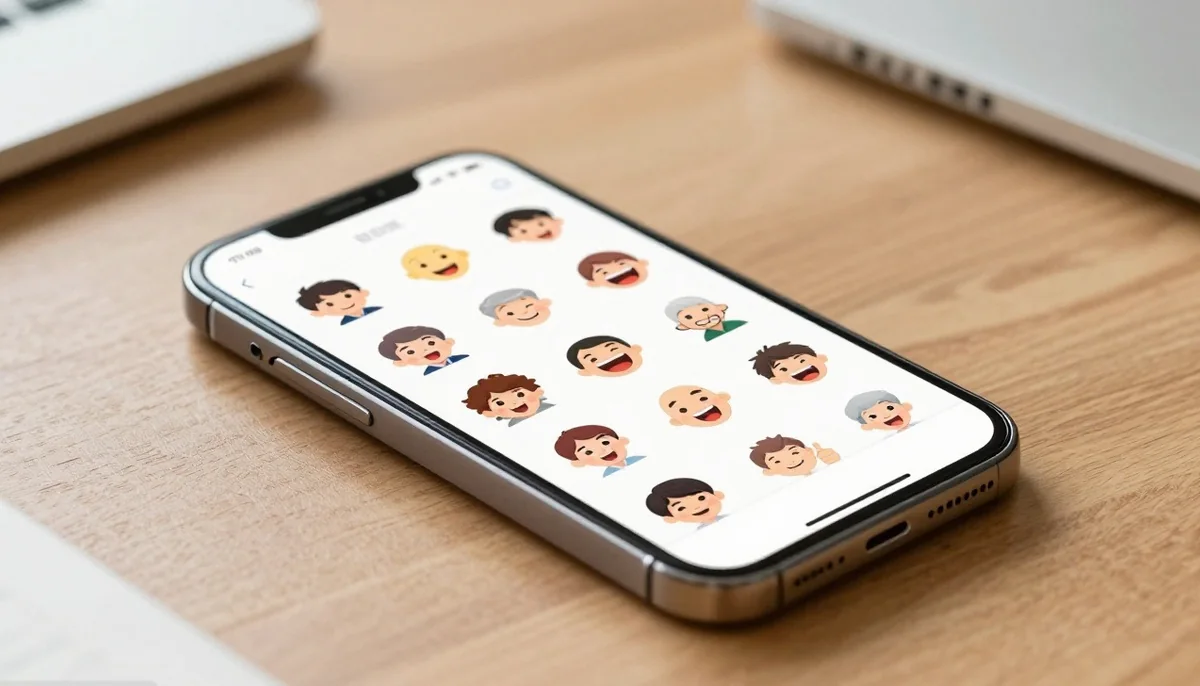
Cartoon images can also become fun profile pictures, stickers or reaction images for conversations with friends and family. An AI sticker generator can turn one selfie into a whole pack of reactions in a single step.
Digital Gifts
A personalized illustration can make a thoughtful birthday, anniversary, friendship or celebration gift. You can combine the artwork with a message or create a small collection of different expressions.
Personal Branding
Creators, freelancers and professionals can use illustrated avatars as part of their online identity. A consistent visual style across profiles can make personal branding more recognizable.
Common Mistakes to Avoid
Creating a great cartoon portrait is easier when you avoid a few common mistakes.
First, do not start with a low-resolution or heavily blurred selfie. Poor source quality can make important facial details difficult to reproduce.
Second, avoid giving overly complicated instructions. Too many unrelated styles can confuse the visual direction. Choose one primary style and describe the most important details.
Third, do not overload the image with background elements. The person's face should remain the main focus.
Finally, experiment. Your first version does not have to be perfect. Try different expressions, colors, backgrounds and illustration styles until you discover an appearance that matches your personality.
Conclusion
Turning an ordinary selfie into a cartoon portrait is a simple way to explore your creativity without needing traditional illustration skills. Start with a clear photo, choose a visual style, describe the important details and make sure the final artwork still feels recognizable.
The most successful results usually combine personality with simplicity. Rather than changing everything about the original photograph, focus on enhancing the features that make the image uniquely yours.
With modern AI image technology and creative editing tools, you can transform one selfie into multiple artistic versions for profiles, social media, gifts, stickers and personal projects. Try different styles and expressions and you may discover a completely new way to present yourself online.
Try unlimited AI photo editing
Run every AI tool as much as you want, right in your browser.