Free Image to Video AI Generator
AI video isn't available on the current plans.
The Unlimited plans make every image tool unlimited: text to image, image to image, styles and trends.
Upload an image, describe the motion
Drag & drop, or press Ctrl/⌘+VChoose a photo or use your camera
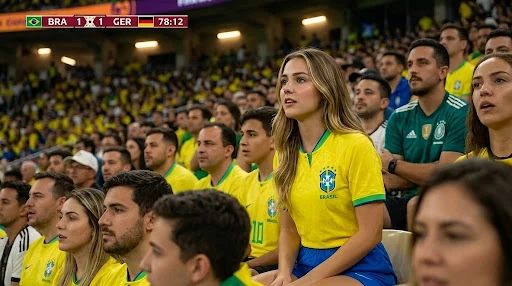 Before
Turn a photo into a short AI video, upload, describe the motion, generate.
Turn a still photo into a short video with Magical Studio AI. Upload a portrait, product photo or illustration, describe the movement you want, and choose a duration of 5, 8, 10 or 15 seconds and an aspect ratio. Sign in to generate, then review and download your video.
Animate a Photo with Image to Video AI
The Magical Studio AI image to video generator transforms static pictures into short animated videos. Instead of manually adding keyframes, transitions and motion effects, you can simply upload an image and explain how you want it to move.
You can request subtle facial movement, cinematic camera motion, moving backgrounds, product rotations, flowing water, drifting clouds or creative visual effects. The AI analyses your image and prompt to create a video. Results can vary, so start with one simple movement and review the output.
For a portrait, try “Slow camera zoom, gentle hair movement, keep the face in frame.” For a landscape, try “Static camera, slow-moving clouds and gentle ripples on the water.” Find more image to video prompt ideas to adapt to your photo.
Create AI Videos in 4 Simple Steps
Upload Your Photo
Choose the image you want to convert into a video. It can be a portrait, product image, fashion photo, character, artwork or any creative picture.
Add Your Video Prompt
Tell the AI what should happen in the video. You can describe movement, camera angle, lighting, background effect, expression, mood or style.
Select Duration and Format
Choose how long the video should be (5s, 8s, 10s or 15s), then the best format: 9:16 for Reels, TikTok and Shorts, 16:9 for YouTube and ads, 1:1 for posts, or 4:3 and 3:4 for creative layouts.
Sign In and Generate
Sign in, check your available generations and start the video. Keep the page open while it processes, then review and download the result.
Everything You Need to Create AI Videos
AI Image to Video Generator
Convert static images into smooth, creative, and eye-catching AI videos.
Easy Prompt Control
Use simple text instructions to guide the video style, movement and atmosphere.
Social Media Ready
Create videos for TikTok, Instagram Reels, YouTube Shorts, Facebook, LinkedIn, and more.
Multiple Aspect Ratios
Choose the best video size for posts, stories, ads, banners and profile content.
Fast Video Creation
Save time by generating short videos without manual editing.
Creative Trend Videos
Use trending styles and ideas to create videos that look fresh, modern and engaging.
Frequently asked questions
An Image to Video AI Generator uses artificial intelligence to add motion to a still image. It can animate portraits, products, landscapes, illustrations and backgrounds based on a written motion prompt.