AI Style Transfer: Transform Photos Into Stunning Art
In this guide
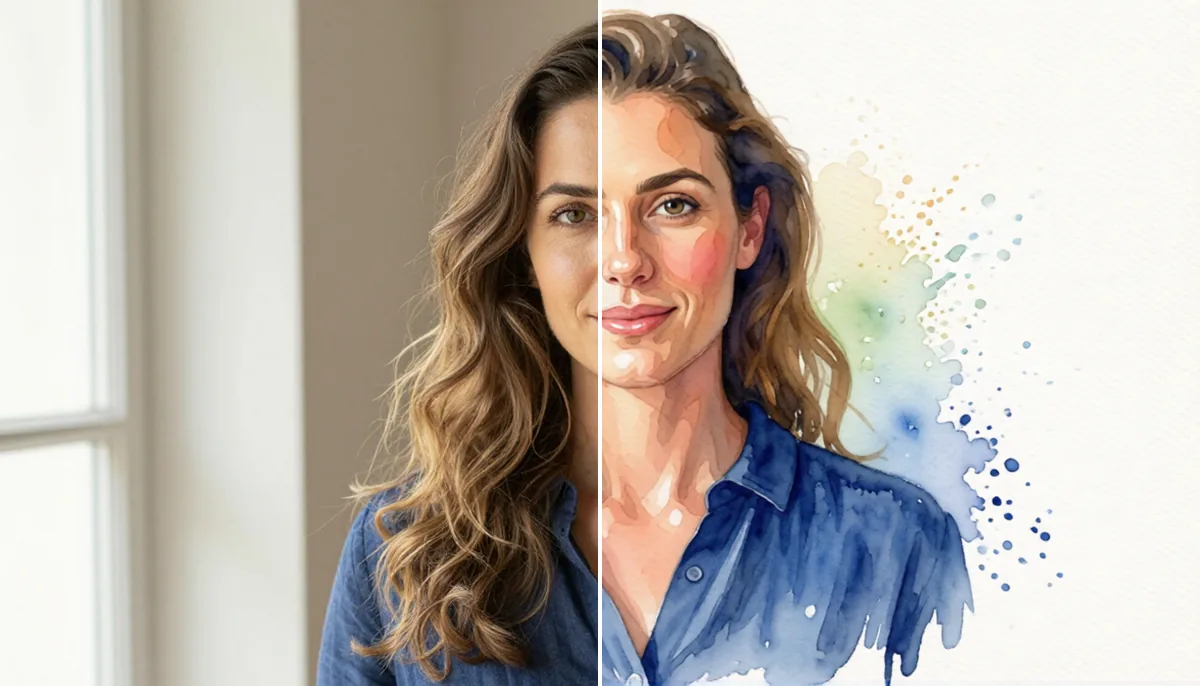
Photography captures a moment, but creative editing can completely change how that moment feels. A simple portrait can become a colorful painting, a landscape can take on the appearance of a classic artwork, and an everyday photograph can be transformed into something that looks professionally designed.
AI Style Transfer changes the style of a photo with AI while keeping the main subjects and details recognizable. Instead of manually recreating textures, colors, brushwork or artistic effects, users can apply different visual styles with just a few clicks.
This technology has made creative photo editing much more accessible. You do not need advanced knowledge of Photoshop, illustration or digital painting to experiment with artistic effects. Whether you want a watercolor portrait, an oil-painting effect, a sketch-like image or a bold modern composition, AI-powered editing tools can help you explore different possibilities quickly.
For photographers, creators, marketers, designers and casual users, this approach opens up new ways to turn familiar photographs into visually interesting artwork.
What Is AI Style Transfer?
At its core, AI Style Transfer is a technology that uses machine learning to combine the content of one image with the visual characteristics of another style.
Think of the process as separating an image into two ideas: what the picture shows and how the picture looks.
The content could be a person's face, a building, a pet or a landscape. The style could include colors, textures, brush strokes, patterns, lighting characteristics and artistic details.
The AI analyzes these visual elements and creates a new image that maintains the important content while introducing the selected artistic appearance.
For example, you could upload a family photograph and apply a watercolor-inspired appearance. The people remain clearly highlighted, with artistic colors and textures transforming the overall look of the photo.
How Does the Technology Work?
Modern AI image tools rely on neural networks trained using vast amounts of visual data. These systems learn relationships between shapes, textures, colors, patterns and different artistic characteristics.
When you provide an image, the system analyzes its visual structure and identifies important features. It then applies characteristics associated with the chosen style.
The final output can change dramatically without losing the elements that make the original recognizable.
The quality of the result depends on several factors, including the original image resolution, subject placement, lighting, complexity and the style being applied.
Why Artistic Photo Transformation Is Becoming Popular
Creative image editing was once mainly associated with professional designers. Traditional editing software offered enormous flexibility, but it also required time and technical knowledge.
AI has changed that experience.
Users can now experiment with visual concepts without spending hours adjusting individual layers, brushes, masks and effects. This makes artistic experimentation faster and more approachable.
Easy Creative Experimentation
One of the biggest advantages is the ability to test multiple ideas quickly. Instead of committing to a single visual direction, you can explore several artistic treatments and choose the one that best matches your purpose.
This can be highly useful for social media creators looking to create new visual content consistently.
Useful for Different Types of Photos
Artistic transformation is not limited to portraits. It works well with a wide range of photography styles, including:
- Portrait photography
- Travel pictures
- Wedding photographs
- Pet photos
- Nature scenes
- Architecture
- Product photography
- Food photography
- Fashion images
- Digital illustrations
The same artistic style can look very different depending on the subject.
Makes Personal Photos More Memorable
People often want to give ordinary photographs a more personal or creative touch. An artistic effect can turn a standard image into something suitable for a profile picture, wall print, greeting card, social media post or digital keepsake.
Popular Artistic Styles to Try
There are countless visual directions you can explore when transforming photographs. The best choice depends on the mood and purpose of the image.
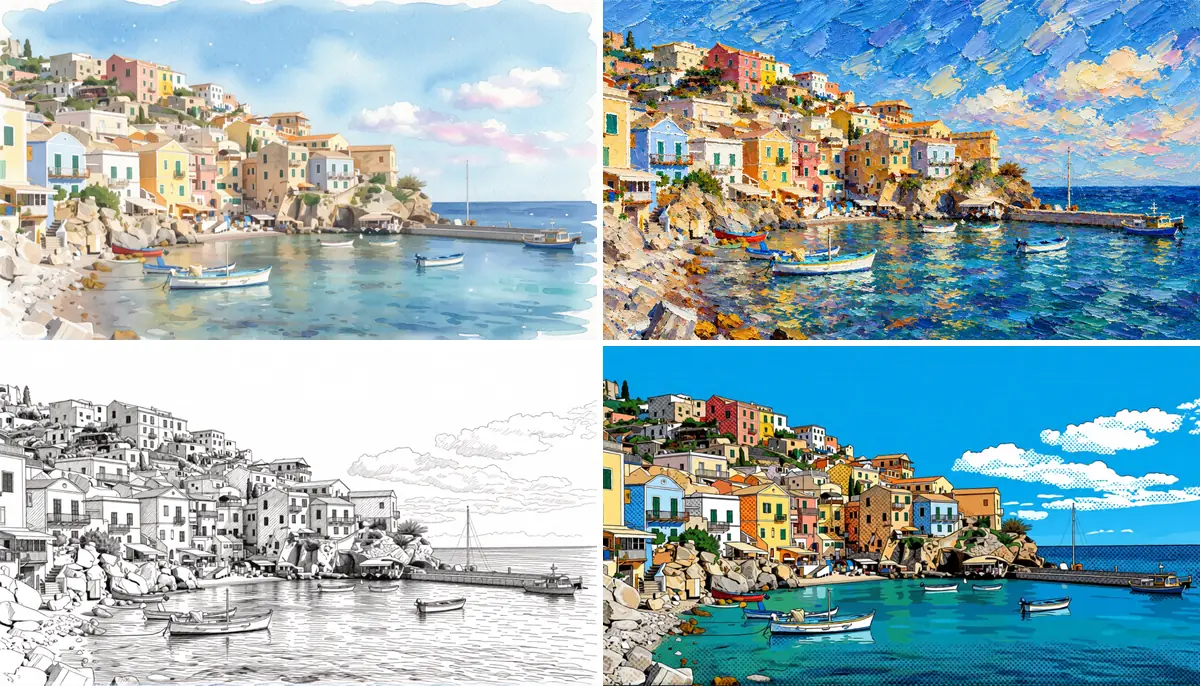
Watercolor
Watercolor effects create a soft and expressive appearance. They work particularly well with portraits, flowers, landscapes and travel photography.
The gentle color blending can make an image feel warm, delicate and handcrafted.
Oil Painting
Oil-painting effects usually introduce richer textures and stronger brushwork. They can make portraits and dramatic landscapes look like traditional canvas artwork.
This style is especially appealing when you want an image to feel classic and sophisticated.
Pencil Sketch
A pencil sketch effect removes much of the original color and emphasizes outlines, shading and structure.
It can work beautifully for portraits, architecture, animals and detailed objects.
Comic and Illustration Styles
Bold outlines, vibrant colors, and exaggerated details can give photographs a comic-inspired appearance.
These effects are popular for social media content, avatars, creative campaigns and entertainment projects.
Vintage Art
Vintage-inspired effects can introduce muted colors, film-like textures, faded tones and nostalgic details.
They are useful when you want a modern photograph to feel connected to an earlier era.
How to Get Better Results
The quality of your final image depends heavily on the photograph you start with. Choosing the right source image can make a noticeable difference.
Start With a Clear Photograph
Use an image with good resolution and sufficient lighting. Blurry or heavily compressed photographs may produce less detailed results.
A clear subject gives the AI more visual information to work with.
Choose a Style That Matches the Subject
Not every artistic effect works equally well with every photograph.
For example, a soft watercolor appearance may complement a nature photograph, while a high-contrast illustration style may work better for a street portrait.
Think about the mood you want before choosing an effect.
Avoid Excessive Effects
More effects do not always mean a better image. Overprocessing can make faces look unnatural or remove important details.
A good transformation should enhance the photograph rather than completely destroy its visual identity.
Pay Attention to Faces
Portraits require additional care because small changes to facial features can significantly affect the final result.
When transforming a portrait, choose tools that prioritize facial consistency and preserve important characteristics such as facial proportions, eyes, hair and overall structure.
Creative Ways to Use Artistic Photo Transformations
The possibilities extend beyond simply creating attractive pictures.
Social Media Content
Creators can turn regular photographs into unique posts, profile images, thumbnails and campaign visuals.
Using different artistic treatments can also help maintain variety across a social media feed.
Personalized Gifts
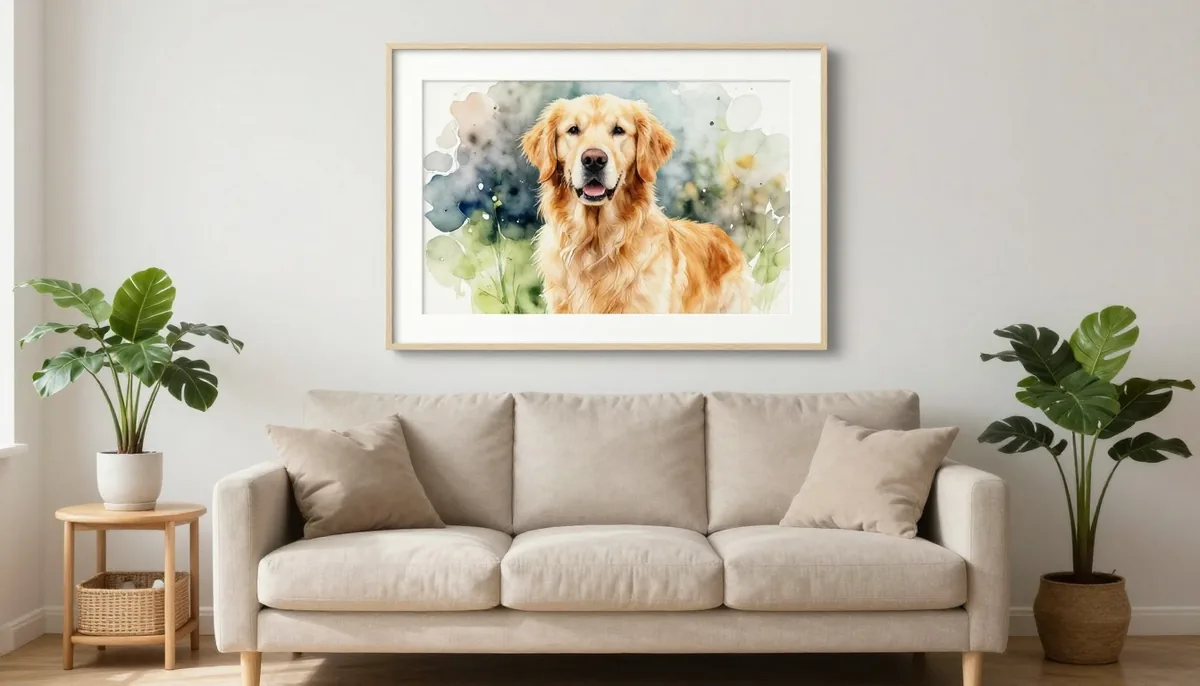
An artistic version of a family photograph, couple portrait, pet picture or memorable travel scene can become a thoughtful personalized gift.
The transformed image can be printed on posters, cards, canvases or other creative products.
Branding and Marketing
Companies can produce unique visual content for advertisements, promotional campaigns, websites and social platforms.
A fashion brand can turn selected campaign photos into illustrations to create a unique visual style.
Digital Art Projects
Artists and designers can use transformed photographs as starting points for larger creative projects. The generated image can provide inspiration for compositions, color combinations, textures and visual concepts.
Tools such as Magical Studio AI can make this type of creative experimentation easier for people who want to explore AI-powered image editing.
AI Editing vs Traditional Artistic Editing
Traditional editing still offers extensive control. Professional artists can manually adjust every detail and create highly customized compositions.
However, AI-powered editing has a different advantage: speed.
A task that might require significant manual work can often be explored in seconds. This makes AI particularly useful during the early stages of creative development.
The two approaches can also work together. A creator might use AI to generate an artistic starting point and then refine the result manually using professional editing software.
The Future of Creative Photo Editing
AI-powered image generation and editing are evolving rapidly. Future systems are likely to provide more accurate subject preservation, improved textures, better lighting control and more detailed customization.
Users may gain greater control over individual parts of an image instead of applying one effect across the entire photograph.
Imagine selecting the background, clothing, lighting, facial details and artistic texture separately and controlling each element through simple instructions.
This direction could make advanced creative editing accessible to an even wider audience.
Final Thoughts
Transforming a photograph into artwork is no longer limited to professional artists or experienced photo editors. Modern AI technology allows anyone to experiment with colors, textures, artistic techniques and visual concepts.
Whether you are creating social media content, designing personalized gifts, building marketing materials or simply looking for a new way to enjoy your photographs, artistic transformation can turn familiar images into something fresh and expressive.
The most important part is experimentation. Try different styles, compare results and choose effects that complement the subject rather than overpowering it. With the right image and creative direction, an ordinary photograph can become a distinctive piece of digital art.
Try unlimited AI photo editing
Run every AI tool as much as you want, right in your browser.