Halloween AI Photo Prompts: 25 Spooky Ideas to Try
In this guide
Halloween is the perfect season to experiment with creative photography, mysterious characters, dramatic costumes and imaginative environments. You do not need an expensive costume, professional photographer or complicated editing software to create eye-catching Halloween visuals. With AI image generation, an ordinary portrait can become a mysterious vampire scene, haunted mansion portrait, spooky forest adventure or cinematic horror poster.
Using the right Halloween AI Photo Prompts can turn ordinary pictures into striking seasonal creations, while letting you customize details like costumes, backgrounds, lighting, poses and the overall mood. Whether you want something scary, stylish, funny, mysterious or magical, AI gives you plenty of creative possibilities.
In this guide, you will discover 25 creative ideas that can inspire your next Halloween image.
Why Use AI for Halloween Photos?
Creating traditional Halloween photos often involves arranging costumes, makeup, props, suitable locations and proper lighting. AI can simplify the creative process by allowing you to experiment with different concepts from a single photo.
You can create realistic portraits, fantasy characters, cinematic horror scenes, vintage photographs, cartoon-style images or glamorous Halloween editorials.
Another advantage is flexibility. You can change the environment, outfit, lighting, mood and composition while keeping the main subject recognizable. This makes AI especially useful for creators who want several Halloween visuals without organizing multiple photoshoots.
25 Spooky Ideas to Try
1. Gothic Vampire Portrait
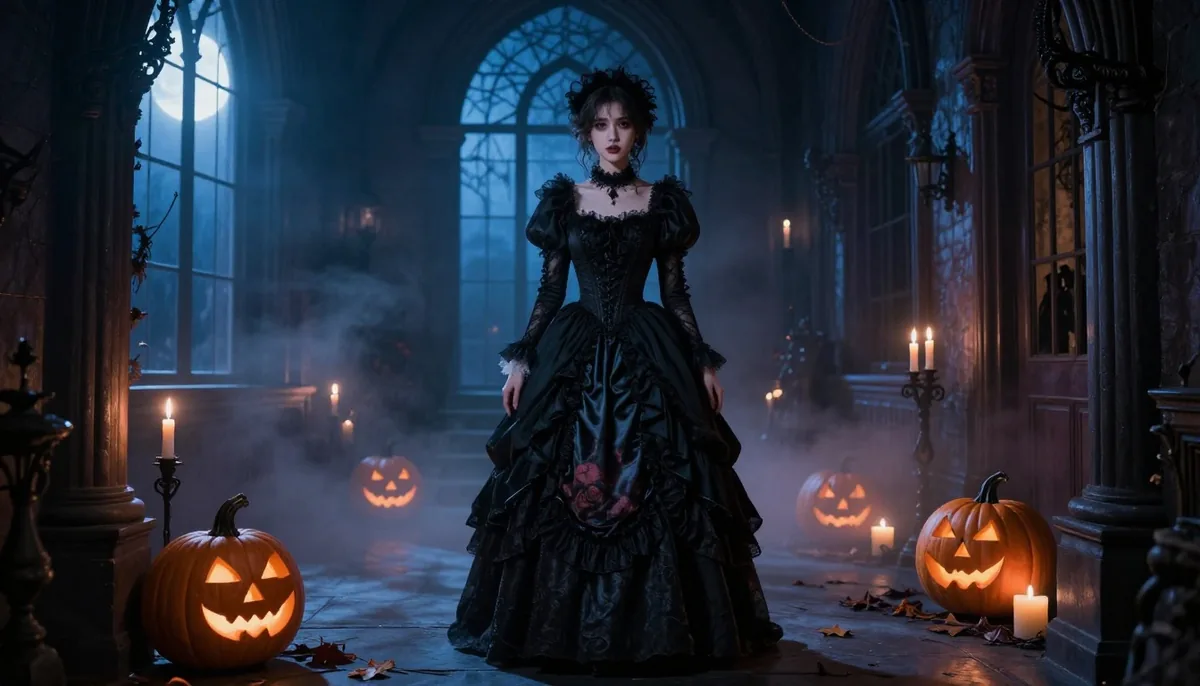
Transform an ordinary portrait into a sophisticated vampire character. Imagine Victorian clothing, dramatic shadows, pale moonlight, an old castle interior and subtle fog surrounding the subject.
2. Haunted Mansion Scene
Place the subject inside an abandoned mansion filled with antique furniture, dusty windows, candles and mysterious shadows. Use pale moonlight shining through cracked windows to give the scene a dramatic horror-film atmosphere.
3. Witch in an Enchanted Forest
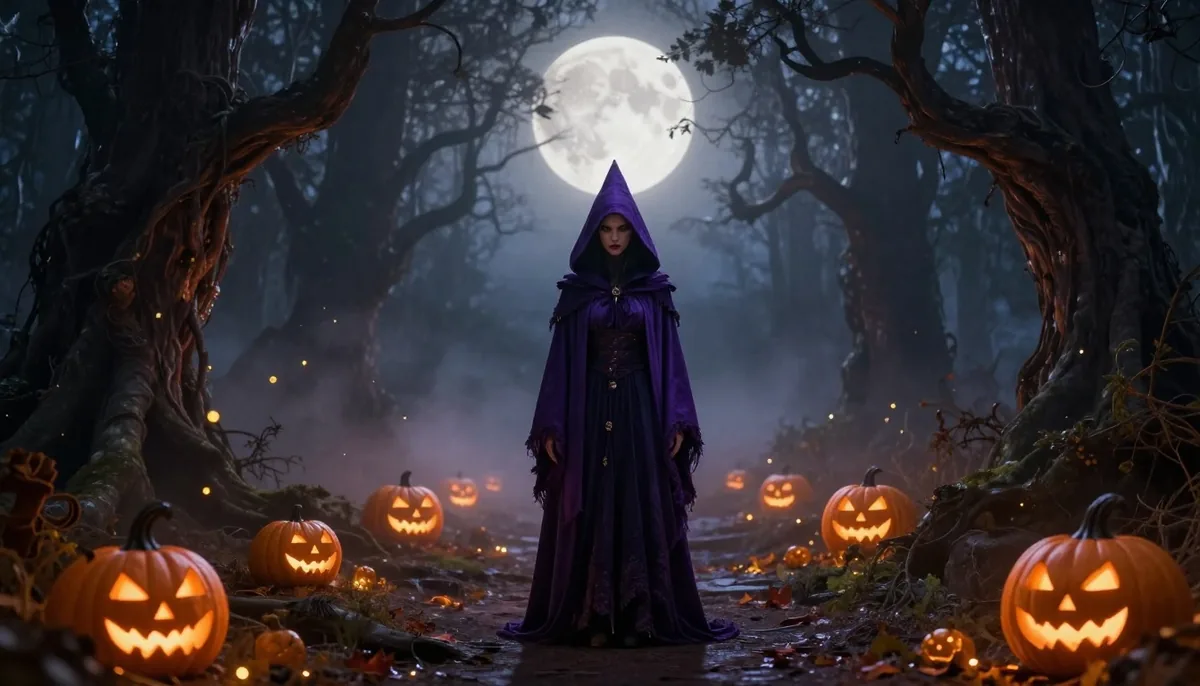
Design an enchanting Halloween setting with a witch standing deep inside a shadowy forest. Add glowing pumpkins, mist between the trees, floating particles and a large full moon in the background.
4. Classic Horror Movie Poster
Turn a portrait into a fictional vintage horror movie poster. Create a vintage cinematic mood with bold lighting, subtle film grain, dark space for typography and a powerful facial expression.
5. Pumpkin King or Queen
Give the subject a Halloween royal transformation. Add an elaborate costume, glowing pumpkins, a mysterious throne and an atmospheric orange-and-black environment.
6. Zombie Apocalypse Survivor
Create a cinematic survival scene with abandoned buildings, foggy streets, dramatic lighting, and a post-apocalyptic environment. Keep the character photorealistic while giving the surrounding environment an abandoned, empty atmosphere.
7. Ghostly Victorian Portrait
Give the image an elegant supernatural atmosphere. Place the subject in an old Victorian room surrounded by antique furniture, candlelight, faded wallpaper and soft mist.
8. Dark Fairy
Halloween does not always need to be frightening. Create a dark fantasy fairy with dramatic wings, a mysterious forest background, glowing particles and nighttime lighting.
9. Spooky Carnival
Imagine a deserted carnival at midnight. Add an old Ferris wheel, empty booths, fog, dim lights and a mysterious atmosphere. Position the subject prominently in the foreground.
10. Haunted Doll Character
Transform the subject into a fictional porcelain-doll-inspired character. Use vintage clothing, theatrical makeup, an antique room and slightly unsettling lighting.
11. Skeleton-Themed Portrait
Create a stylish Halloween portrait inspired by skeletal imagery. Add dark clothing, subtle skeletal details, smoky surroundings and dramatic studio lighting.
12. Moonlit Werewolf Scene
Place the subject in a misty forest beneath a huge full moon. Use dramatic backlighting, atmospheric fog and a mysterious transformation-inspired setting.
13. Witch's Potion Room
Create an imaginative potion laboratory filled with glass bottles, mysterious liquids, candles, old books, herbs and magical objects. Warm candlelight can make the environment feel detailed and immersive.
14. Haunted Forest Adventure
Turn an ordinary portrait into a cinematic forest scene. Add twisted trees, dense fog, moonlight, fallen leaves and subtle glowing elements in the distance.
15. Halloween Masquerade
Design an elegant masquerade portrait featuring a stylish costume and decorative mask. Surround the scene with warm candlelight, premium fabrics, bold shadowing and a refined dark gothic aesthetic.
16. Scary Clown Portrait
For something more dramatic, create a fictional horror clown character with theatrical makeup, a dark carnival background, unusual lighting and an unsettling expression.
17. Black Cat Halloween Scene
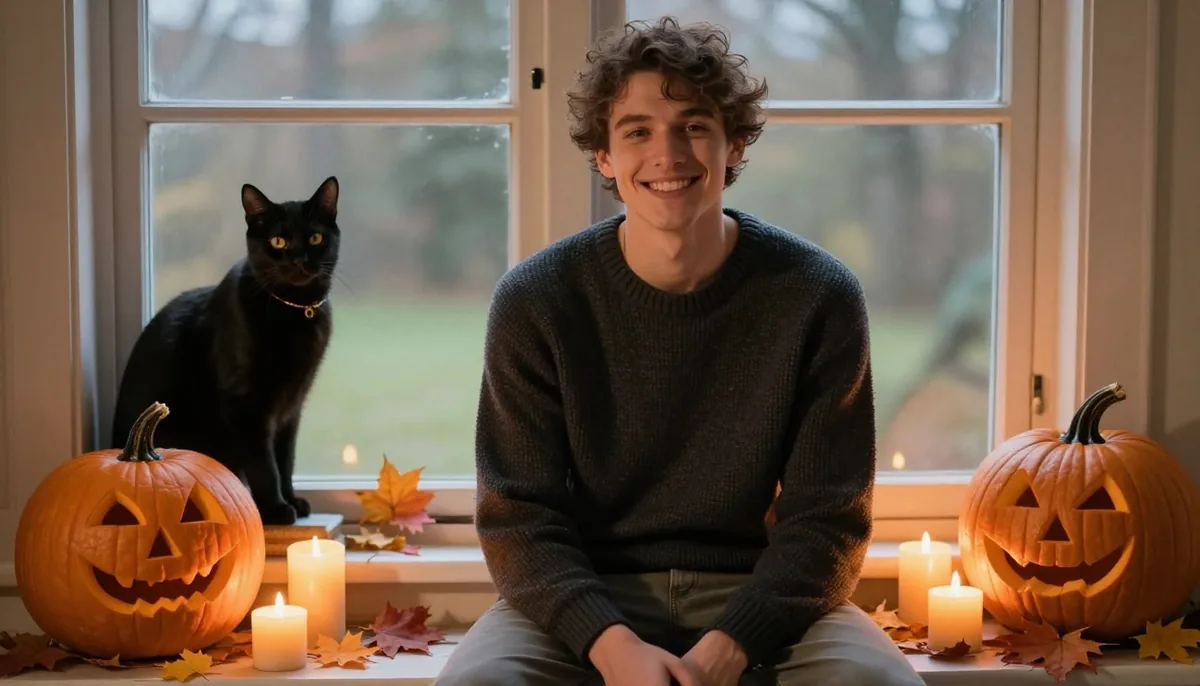
Create a cozy Halloween portrait featuring pumpkins, candles, autumn leaves and a mysterious black cat. This concept can produce a spooky but charming social media image.
18. Magical Pumpkin Garden
Place the subject in a nighttime pumpkin garden filled with glowing pumpkins, soft mist, autumn leaves and warm atmospheric lighting.
19. Horror Detective
Give the subject a cinematic detective appearance. Imagine a dark rainy street, trench coat, old street lamps, fog and a mysterious case unfolding in the background.
20. Vintage Halloween Photograph
Create a picture that resembles an old-time photograph from another period. Use vintage clothing, muted textures, film grain, antique furniture and slightly faded lighting.
21. Haunted Library
Turn the subject into a mysterious character inside an enormous old library. Add towering bookshelves, candles, dusty books, dark wood and moonlight through tall windows.
22. Halloween Fashion Editorial
Halloween can also be glamorous. Create a high-fashion editorial featuring dramatic black clothing, sophisticated makeup, elegant accessories and a luxurious dark background.
23. Ghost Town Portrait
Place the subject in an abandoned old town at night. Add empty streets, old buildings, fog, broken signs and distant moonlight for a cinematic western-horror atmosphere.
24. Monster Movie Character
Design a fictional monster-inspired character while keeping the image visually polished. Use dramatic lighting, atmospheric fog, unusual surroundings and cinematic composition.
25. Halloween Couple Portrait
Create a themed couple portrait with coordinated costumes and a spooky setting. A haunted mansion, moonlit garden, gothic ballroom or pumpkin field can work beautifully for this concept.
How to Create Better Halloween AI Images
Describe the Subject Clearly
When creating Halloween AI Photo Prompts, start by explaining exactly what should appear in the image. Mention clothing, pose, expression, hairstyle, accessories, and important physical characteristics when necessary.
Instead of writing something generic like "make this photo scary," describe the subject standing in a foggy forest wearing a dark Victorian outfit under dramatic moonlight.
Build the Environment
The background has a major effect on the final result. Consider locations such as haunted houses, forests, abandoned streets, castles, libraries, carnivals or pumpkin fields.
A detailed environment can make a simple portrait feel like a complete cinematic scene.
Add Lighting and Mood
Lighting can dramatically change the appearance of an AI image. Try descriptions such as moonlit lighting, candlelight, dramatic rim lighting, soft foggy illumination, eerie backlighting, or low-key studio lighting.
Also specify the mood you want. Words such as mysterious, elegant, playful, cinematic, dark, magical or atmospheric can help guide the overall visual direction.
Choose the Right Composition
Think about where the image will be used before generating it. You may want a close-up portrait for a profile picture, a full-body image for a social post or a wide cinematic composition for a banner.
You can also specify vertical or square framing when creating content for different social platforms.
Tips for More Realistic Results
The strongest Halloween AI Photo Prompts usually focus on one central idea rather than combining too many unrelated concepts.
If you are transforming an existing portrait, clearly explain which characteristics should remain consistent. For example, you can request that the person's facial identity, hairstyle, body proportions or expression remain unchanged while the clothing and environment are transformed.
Pay attention to small details such as hands, accessories, clothing textures, shadows and lighting direction. These elements can make the final image feel much more natural.
It is also useful to generate multiple variations of the same concept. Try changing the camera angle, pose, background or lighting while keeping the central character consistent.
Turn Ordinary Photos Into Halloween Content
One of the most exciting things about AI photography is that one portrait can become the starting point for many creative variations. The same person can appear as a vampire in one image, a witch in another and a mysterious detective in a third.
Tools such as Magical Studio AI can make this kind of creative experimentation easier for users who want to explore different image concepts without advanced photography or editing skills.
These visuals can be useful for social media posts, blog graphics, thumbnails, digital invitations, profile pictures, Halloween campaigns and seasonal marketing content.
Final Thoughts
Halloween is an opportunity to experiment with creativity rather than simply creating another traditional costume photograph. From haunted mansions and mysterious forests to elegant masquerades and cinematic horror scenes, AI gives you the freedom to explore visual concepts that would otherwise require extensive preparation.
The best Halloween AI Photo Prompts have a clear subject, specific environment, intentional lighting and consistent visual style. Start with one concept, generate several variations and adjust individual details until the result matches your vision.
Whether you prefer spooky, stylish, funny, mysterious or magical visuals, these 25 ideas give you plenty of inspiration for creating memorable Halloween images.
Try unlimited AI photo editing
Run every AI tool as much as you want, right in your browser.