Ghost Mannequin Photography Guide for Ecommerce 2026
In this guide
Selling clothing online is not only about having great products. The way those products are presented can strongly influence whether a shopper stops scrolling, explores the product page, or decides to buy. In fashion ecommerce, professional product imagery helps customers understand the fit, shape, fabric and design of an item without seeing it in person.
A widely used method for producing clean, professional apparel photos is Ghost Mannequin Photography. It creates the appearance that clothing is being worn by an invisible model while keeping attention focused on the garment itself. This style is widely useful for online stores, catalogs, marketplaces, advertising campaigns and fashion brands that want consistent product presentation.
What Is Ghost Mannequin Photography?
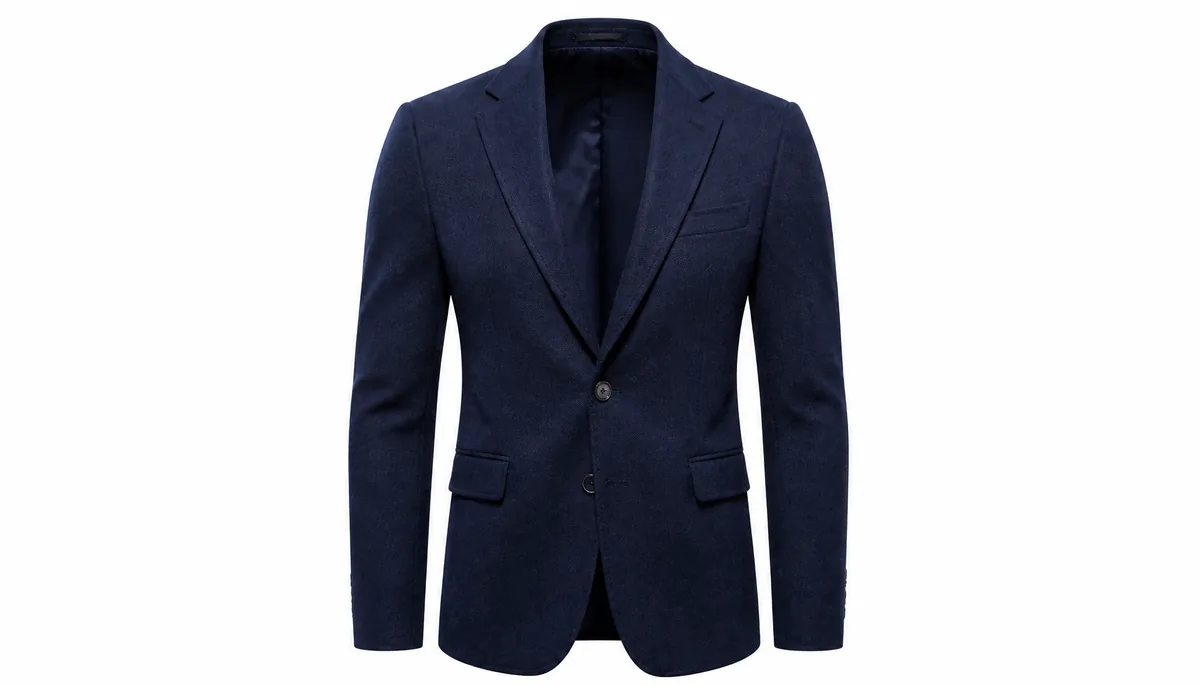
Ghost mannequin photography is a technique that makes clothing look naturally worn while keeping the model or mannequin invisible. A garment is normally photographed on a mannequin and the mannequin is later removed during the editing process.
The result shows the natural shape of the clothing while eliminating distractions such as a visible mannequin, head, arms or body. For certain garments, photographers may also capture additional interior details so that hidden sections can be composited into the final image.
This technique is especially effective for:
- T-shirts
- Shirts
- Jackets
- Dresses
- Sweaters
- Blazers
- Jeans
- Coats
- Sportswear
- Children's clothing
The goal is simple: make the product look realistic, clean and easy to understand.
Why Invisible-Mannequin Images Matter for Ecommerce
Online shoppers cannot physically touch clothing before purchasing it. Product photography therefore needs to communicate as much information as possible.
Creates a Clean Product Presentation
A clean image removes unnecessary visual distractions. When there is no visible mannequin or model, the shopper's attention goes directly toward the garment.
This can create a professional catalog appearance, especially when every product follows the same visual style.
Shows the Shape of the Garment
Flat product images can sometimes make clothing look lifeless. An invisible-mannequin approach can preserve the three-dimensional structure of a garment.
Shoppers can better understand:
- Shoulder shape
- Neckline
- Sleeve length
- Waist structure
- Overall silhouette
- Clothing proportions
This is particularly useful for structured fashion pieces such as blazers, coats, and formal shirts.
Improves Catalog Consistency
Large ecommerce stores often manage hundreds or even thousands of products. Using a consistent photography style can make category pages look more organized.
Similar backgrounds, camera angles, cropping and lighting can create a recognizable visual system across the entire store.
How the Process Works
Creating a professional invisible-mannequin image usually involves several stages. The quality of every stage affects the final result.
1. Prepare the Garment
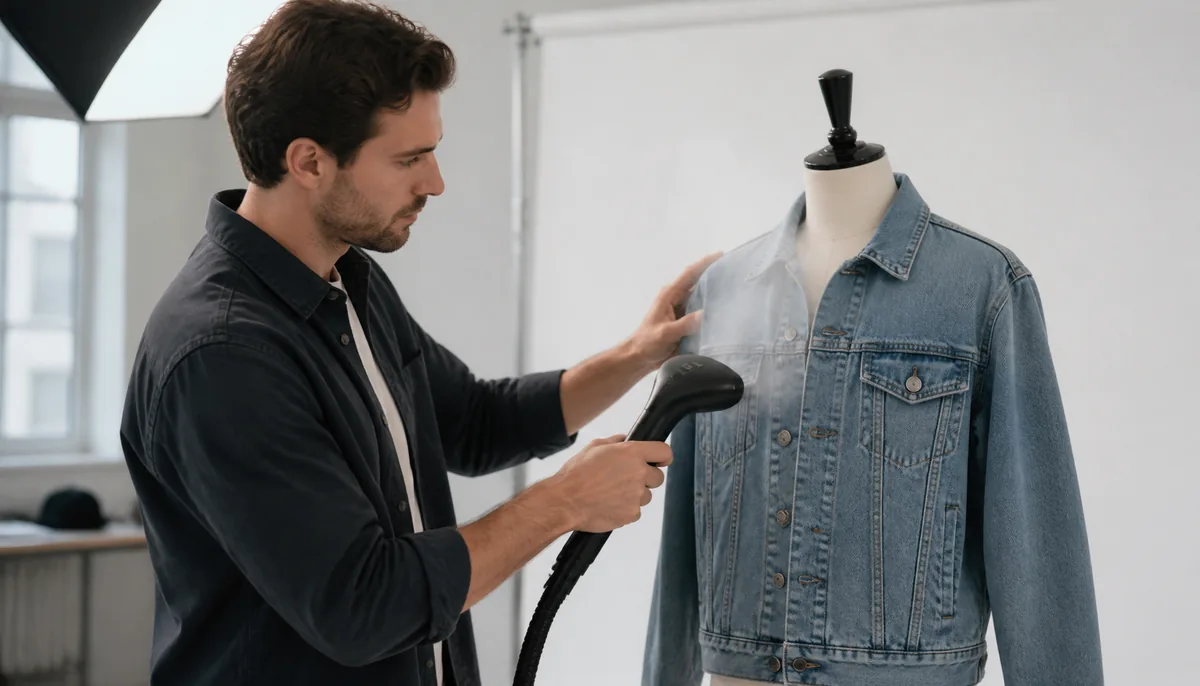
Before taking photographs, make sure the clothing is clean, steamed and properly positioned. Wrinkles, dust, loose threads, and uneven folds can become much more noticeable in high-resolution ecommerce images.
Pay special attention to collars, sleeves, cuffs, seams and hems.
2. Position the Mannequin
The garment should fit naturally on the mannequin. Avoid excessive stretching because it can make the final product look different from the actual item.
The clothing should keep its natural proportions while clearly highlighting its shape and design.
3. Capture the Main Image
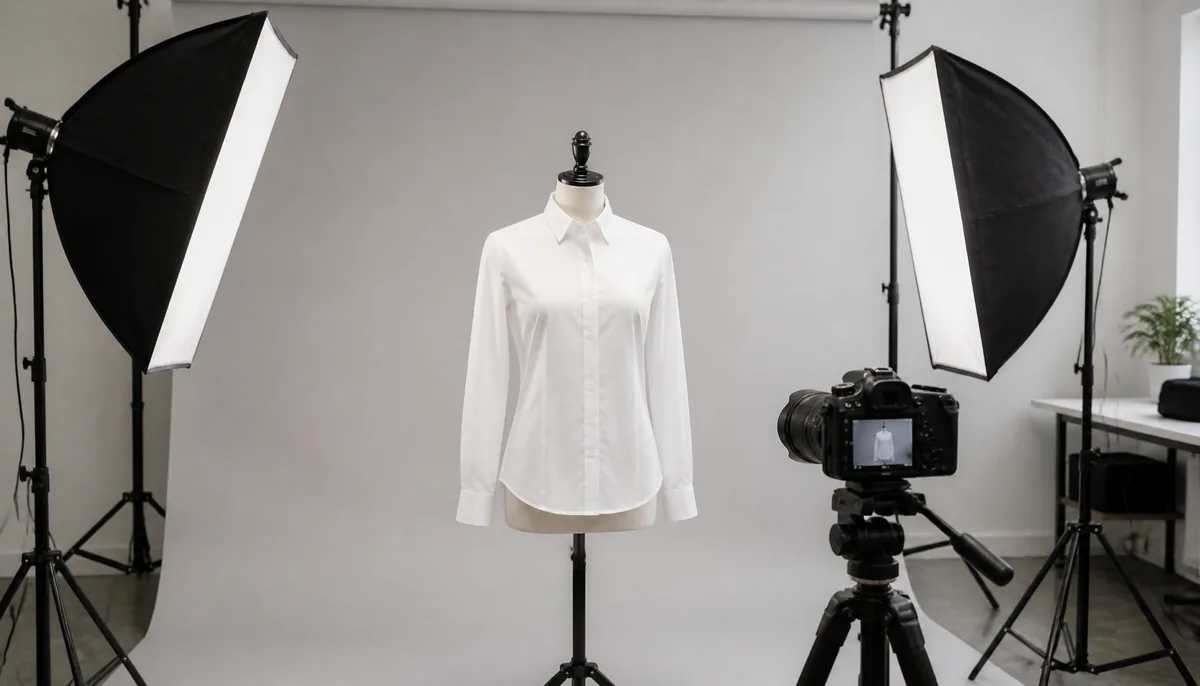
Use consistent camera positioning and lighting. A straight-on angle is generally useful for ecommerce catalogs because it makes comparisons between products easier.
Keep the camera height, distance and framing consistent throughout the product collection.
4. Capture Hidden Details
Some garments contain areas that cannot be photographed properly while mounted on a mannequin. For example, the inside of a neckline or the rear section of a collar may be hidden.
Additional photographs can be taken to capture these areas. During post-production, these details can be combined with the main photograph.
5. Remove the Mannequin
The mannequin is removed during image editing while preserving the garment's edges, shape, folds, stitching, and natural appearance.
Careful masking is important because aggressive editing can make clothing look distorted or artificial.
6. Clean the Final Image
The final image can be refined by removing unwanted marks, correcting minor imperfections, balancing brightness, and creating a consistent background.
However, editing should not change the actual appearance of the product. Customers should receive an image that accurately represents what they will receive.
Lighting Tips for Better Apparel Images
Lighting can dramatically affect how clothing looks online.
Use soft, even lighting to reduce harsh shadows and preserve details. Hard directional lighting can sometimes create distracting shadows around sleeves, collars, and folds.
A controlled lighting setup can help maintain:
- Accurate colors
- Visible fabric texture
- Natural folds
- Clear edges
- Consistent brightness
For ecommerce catalogs, consistency is often more important than dramatic lighting. Every product should look like it belongs to the same collection.
Background and Color Consistency
A clean background helps keep all attention on the product.
White, light gray or another neutral background can work well for many ecommerce stores. The important point is consistency.
Using consistent backgrounds across product images creates a cleaner category page.
Background removal and replacement can also help when products are photographed in different locations. Modern editing platforms such as Magical Studio AI can simplify parts of this workflow while helping teams prepare digital assets faster.
Common Mistakes to Avoid
Over-Editing the Garment
Removing every natural fold can make clothing look unrealistic. Some folds are important because they communicate how the fabric behaves.
The objective is not to make the product look artificially perfect. It is to make the product look clear and appealing while remaining believable.
Changing Product Colors
Why color accuracy matters in fashion ecommerce. A shirt that appears navy in the photograph but arrives as black can create customer disappointment.
Always compare the edited image with the physical product before publishing it.
Inconsistent Cropping
Products should generally have similar proportions and spacing within a collection.
Inconsistent cropping can make one item appear larger or smaller than another even when their actual sizes are similar.
Poor Edge Masking
Hairline-like artifacts, jagged edges, leftover mannequin areas, or unnatural outlines can immediately make an edited image look low quality.
Zoom into collars, sleeves, pockets, buttons and narrow spaces during the final quality check.
How AI Is Changing Apparel Image Editing
Artificial intelligence is making ecommerce image production faster by assisting with repetitive editing tasks.
AI-powered tools can help with background removal, image enhancement, object cleanup, resizing, lighting adjustments, and other post-production activities.
For fashion businesses, this can reduce the amount of manual editing required for large product catalogs.
However, AI should support the workflow rather than replace quality control. Automated editing can occasionally remove important details, alter textures or produce unnatural edges.
A human review is still valuable before publishing commercial product images.
How to Optimize Images for Ecommerce
Creating a beautiful image is only part of the process. It also needs to work well on your website.
Use the Right Image Dimensions
Large images provide better detail, but unnecessarily huge files can increase page-loading times.
Resize images according to your website's requirements while maintaining enough resolution for customers to inspect the product.
Compress Without Losing Important Detail
Image compression can reduce file size and improve page speed. Avoid excessive compression because it can create visible artifacts around garment edges and fabric textures.
Use Descriptive File Names
Instead of generic names such as IMG_1234.jpg, use descriptive filenames related to the product.
For example:
- black-cotton-shirt-front.jpg
This creates a more organized media library and can also provide useful contextual information for search engines.
Add Useful Alt Text
Alt text should describe the image accurately and naturally. It should help users who cannot see the image understand what it contains.
Avoid stuffing unrelated keywords into alt text.
Ghost Mannequin Photography vs. Lifestyle Photography
Both approaches have a place in ecommerce.
Lifestyle photography shows clothing in a real-world environment, often helping shoppers imagine how an outfit might look when worn.
Invisible-mannequin images take a more product-focused approach. They remove environmental distractions and emphasize the garment itself.
Many successful fashion brands use both. Product-focused images can appear in product galleries, while lifestyle images can be used for homepage banners, campaigns, social media, and promotional content.
Future Trends for Ecommerce Product Images
Ecommerce photography is becoming increasingly connected with automation and AI-assisted workflows.
In 2026, brands can expect greater use of automated background generation, intelligent image enhancement, virtual styling, batch processing and AI-powered creative production.
The biggest advantage will not simply be generating more images. It will be creating consistent, trustworthy product visuals at scale.
Brands that establish clear image guidelines early can maintain visual consistency even as their catalogs grow.
Final Thoughts
High-quality clothing imagery can make an ecommerce store feel more trustworthy and professional. Ghost Mannequin Photography provides a practical way to showcase garments without allowing a visible mannequin or model to distract from the product.
The strongest results come from combining careful photography, accurate editing, consistent lighting, clean backgrounds and thoughtful image optimization.
Whether you operate a small fashion store or manage a large apparel catalog, the priority should remain the same: show customers what the product really looks like and make it easy for them to understand its design.
When photography and editing work together effectively, product images become more than decoration. They become an important part of the shopping experience and can help customers make purchasing decisions with greater confidence.
Try unlimited AI photo editing
Run every AI tool as much as you want, right in your browser.